Short answer
A serious trader in Nigeria needs five things: a reliable phone with great battery and security, a bigger screen for charts (tablet or laptop), two internet sources from different networks, power backup that keeps the router alive, and strong security (2FA app, no shared devices). Power and internet failures cost traders more money than slow devices do.
Key takeaways
- Never rely on one network: keep two SIMs from different providers, or fibre plus mobile data.
- Your router needs power backup too. A trade can fail because the WiFi went off, not the laptop.
- Use an authenticator app for 2FA, not SMS, and keep it on a phone that only you use.
- A tablet like the iPad Air or Galaxy Tab S10 FE makes a great second screen for charts.
- This guide is about equipment, not trading advice. Trading forex and crypto is risky.
1. The phone: your backup trading terminal
Even if you trade on a laptop, your phone is what you use to manage positions when power or the laptop fails, to approve 2FA codes and to watch the market on the move. Look for:
- Battery that lasts all day with charts and apps open. Buy UK used phones with good battery health (all ours are above 85%).
- Dual SIM or eSIM so you can keep two networks active (for example MTN and Airtel).
- Regular security updates. iPhones, Pixels and Samsung's S-series get updates for years. Avoid phones that no longer get updates.
- A big, bright screen for reading charts in daylight.
| Budget | Our pick | Why |
|---|---|---|
| Starter | Galaxy A56 from ₦490,000 | Big battery, 6 years of updates, dual SIM |
| Mid | iPhone 15 Pro Max (UK used) from ₦940,000 | Big screen, eSIM + SIM, fast and secure |
| Mid | Pixel 10 Pro XL from ₦850,000 | 7 years of updates, strong security chip |
| Pro | Galaxy S26 Ultra from ₦1,290,000 | Huge screen, S Pen for drawing on charts, DeX for desktop mode |
| Pro | iPhone 18 Pro Max from ₦2,200,000 | Best battery life and security, top resale value |
2. A second screen for charts: tablet or monitor
Watching charts on a phone all day is hard on your eyes and easy to make mistakes on. A tablet gives you a big, portable chart screen that works on battery when the power goes off.
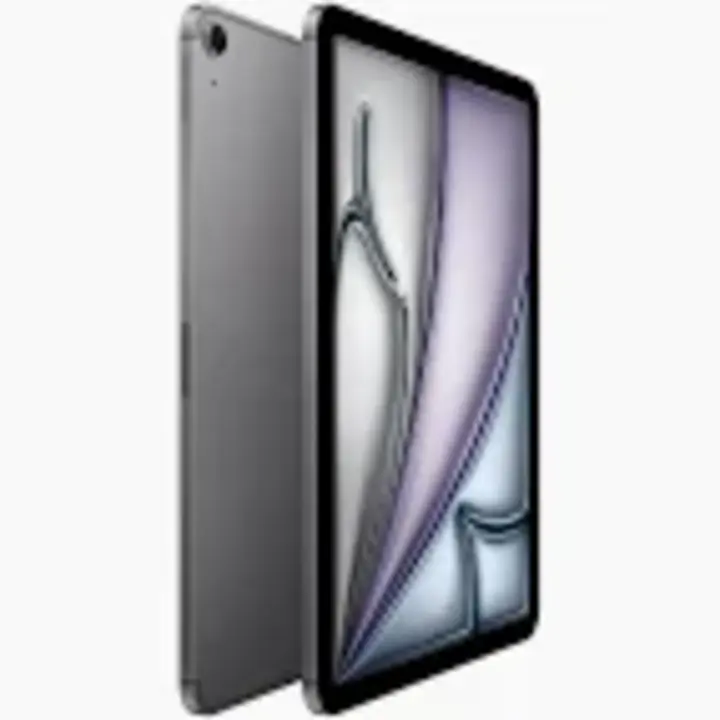
- iPad Air 11" M3 (from ₦899,000): smooth, long battery life, great for TradingView and MT5. Add a keyboard case and it doubles as a laptop.
- Galaxy Tab S10 FE (from ₦890,000): big screen and S Pen included, good value.
- iPad Pro 13" (from ₦1,999,000): the biggest, sharpest tablet screen for multiple charts side by side.
At a desk, one or two external monitors (24" or 27") connected to a laptop are the classic setup. Look for 1080p or better and an adjustable stand.
3. The laptop
Trading platforms are not heavy, but running a browser, TradingView, MT4/MT5 and video calls at the same time needs memory. Aim for:
- 16GB RAM (8GB is the minimum and gets slow with many tabs).
- SSD storage, 256GB or more.
- Good battery life, because NEPA will go off at the worst moment. Apple MacBook Air laptops are excellent here.
- Two display outputs if you want two monitors.
4. Internet: always have two
This is the most important part of a Nigerian trading setup. Use two different providers, so when one network is down, you switch in seconds:
- Main line: fibre broadband or a 5G router where available.
- Backup: a second SIM on a different network in your phone, used as a hotspot.
- Satellite internet is another backup option in areas with poor coverage.
Test your speed and ping at the times you trade, not just once.
5. Power backup
- An inverter with lithium batteries (or a solar setup) for the laptop, monitors and router.
- A small UPS or power bank for the router, so your internet survives the switch-over.
- A good power bank for your phone, at least 20,000mAh.
- Surge protection, because voltage spikes kill chargers and laptops.
6. Security: protect your money
- Use an authenticator app (Google Authenticator, Microsoft Authenticator or similar) for 2FA on exchanges and brokers, not SMS.
- Keep your trading phone for you only. Don't lend it out or install random APKs.
- Turn on Face ID or fingerprint lock, and set a strong passcode.
- Keep your phone updated. Old phones without security updates are a real risk.
- Write your recovery phrases on paper and store them safely. Never screenshot them.
7. Nice to have
- A smartwatch for price alerts without picking up your phone: Apple Watch Series 11 (from ₦510,000) or Galaxy Watch 8 (from ₦300,000).
- Noise-cancelling earbuds for trading-room calls: AirPods Pro 3 (from ₦330,000) or Galaxy Buds 3 Pro (from ₦220,000).
Sample setups
| Setup | What's in it |
|---|---|
| Starter (phone only) | Galaxy A56 or UK used iPhone 13/14 Pro, two SIMs, a 20,000mAh power bank, authenticator app |
| Serious | UK used iPhone 15 Pro Max or Pixel 10 Pro XL, iPad Air for charts, laptop with 16GB RAM, fibre + mobile backup, inverter |
| Pro desk | iPhone 18 Pro Max or S26 Ultra, laptop + two monitors, iPad Pro as a mobile chart screen, two internet lines, lithium inverter + UPS for the router, smartwatch |
This guide is about equipment only and is not financial advice. Forex and crypto trading carry a high risk of losing money.
Frequently asked questions
What is the best phone for forex trading in Nigeria?
Any phone with all-day battery, dual SIM and regular security updates works well. Popular choices are a UK used iPhone 15 Pro Max, Pixel 10 Pro XL or Galaxy S26 Ultra for a bigger screen.
Can I trade on an iPad?
Yes. MT4, MT5, TradingView and most exchanges have iPad apps. An iPad Air or Pro makes an excellent chart screen, and it keeps working on battery during power cuts.
How much RAM does a trading laptop need?
16GB is ideal. 8GB works but gets slow with many browser tabs, charts and video calls open at once.
Should I use SMS for two-factor authentication?
No. Use an authenticator app. SMS codes can be delayed by network issues and are vulnerable to SIM swap fraud.
Building a trading setup?
Tell us your budget and what you need the device for. We'll recommend options that are actually in stock and confirm today's price.
Chat with us on WhatsApp